Reducing Draw Calls
While balancing optimizations and a good development workflow
Note:
- Technical details have not been intesively researched and may or may not be miselading.
What's a Draw Call?
In short, a draw call is the CPU telling the GPU that it is going to send it a bunch of data on how to draw something.
What went wrong
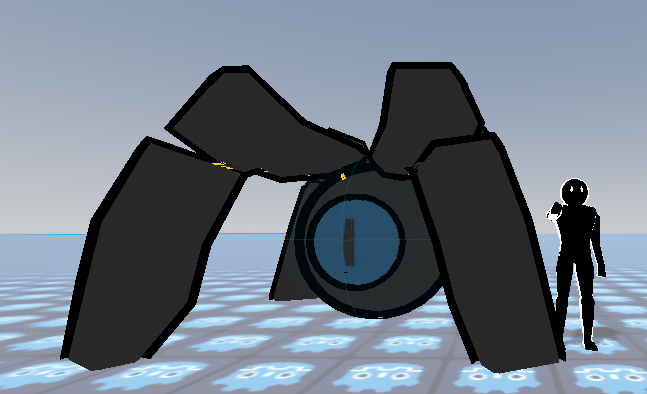
My workflow for creating entities is a simple Blender to Godot workflow. I create the rig in blender, keep the modifiers (they are applied on export), setup IK for the rig, etc. I would keep the meshes seperate for each major part of a model (for example: the crawler has an eye mesh, body mesh, legs mesh). Each mesh also had their own texture slots (~4 each). Having everything seperated made the iterative workflow of model -> export -> import to godot -> repeat until satisfied very fast, and I can come back anytime to adjust and it is fast.
That's where the good stops. It's convenient for iterating fast, but terrible for the game. Recall that a draw call is the CPU telling the GPU how to draw a shape using a specific material. Since the model consisted of an armature with 3 child meshes, exporting it to Godot does not join the meshes automatically. Instead, the 3 meshes remain seperate in Godot. This is bad. Each mesh is one draw call in itself, so this means that a single rig (consisting of three meshes) is being drawn three times. But that's not it. Remember that there are materials. A mesh is the physical geometry, but what about the textures, lighting, etc? The material determines that. Recall each mesh had 4 materials. The three draw calls mentioned earlier only accounts for 1 material. This means that for each mesh, it had to be drawn 4 times, and there are three meshes. This means that the model was being drawn nearly 12x as much as it needed to be! In short:
- 1 rig
- 3 meshes
- 4 materials
- 1 * 3 * 4 = 12 draw calls
So, what's the fix?
The solution used in TaikaSteam, has increased performance by roughly 6x (50FPS -> 300FPS), and it is rather simple. The currrent optimizations applied simply aim to reduce the draw call. Previously at 150 entities there were ~1200 draw calls. Every frame. That's a lot. now, with 150 entities there are 150. Big difference, this was solved by two simple things: texture baking, and joining meshes. Previously, each rig had 3 meshes, in blender that is easily brought to one by appyling modifiers and then joining the meshes. Now theres only 1 mesh in a rig, that already reduces the draw calls by 2. Next, texture baking is the process of converting all textures into one single image that maps to the whole mesh. The method is simple (a little bit of setup, but one button that says "bake"). The issue is that while simple, it does take a while. It's a process that has to be done every time a rig is updated, which takes time and time is quite an important resource for an indie dev, but it's not a dealbreaker.
Quick Optimizations
- Remove the use of AnimationTrees, as the cost to blend animations together is noticeable at high volumes.
- Setting callback mode to physics instead of process increases the fps from 300 to 800FPS. Yes, at the same 150 entities. This is only noticeable at uncapped framerates because the default callback mode of process tries to update animations as fast as the CPU can which can waste resources. Instead, setting it to physics only updates animations at whatever the physics rate is, usually 60 times a second.
- Remove ALL light sources from the entity scene. At 400 entities, the fps was dropping to 20FPS. I knew this wasn't right. It was dropping exponentially. Turns out, I accidently had a light source inside the entity. This means there were 400 moving light sources. Now it can run 400 entities at 400FPS, that is: no animations, but entity ticking is on (they are moving). 1500 stationary non animated entities run at 150 FPS.
Misc Optimizations
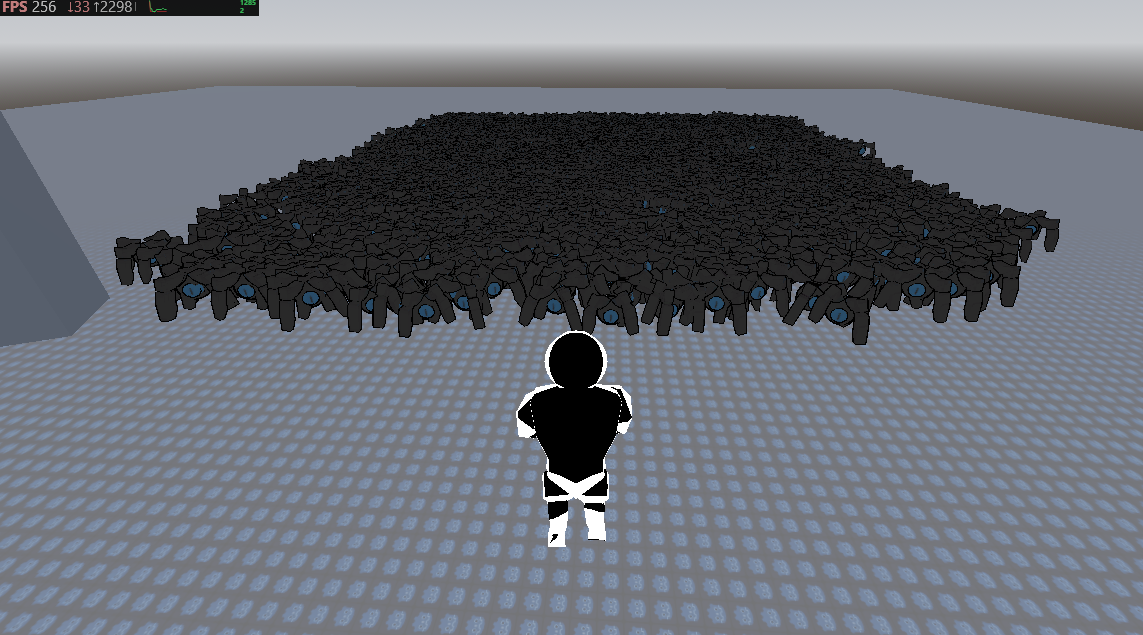
- Despite these optimizations, animations are still a bottleneck, as such, another optimization is one that can be done from the design side of things. In TaikaSteam, enemies have two animations: a moving animation, and an attack animation. But it's not necessary for the enemies to have animations. Bigger and grander enemies will usually have animations, but that also means they are fewer in volume. After all, can you imagine 1500 of these entities?
Well, heres 1500 of them at 300FPS using MultiSwarm (see Creating an efficient NPC System):